
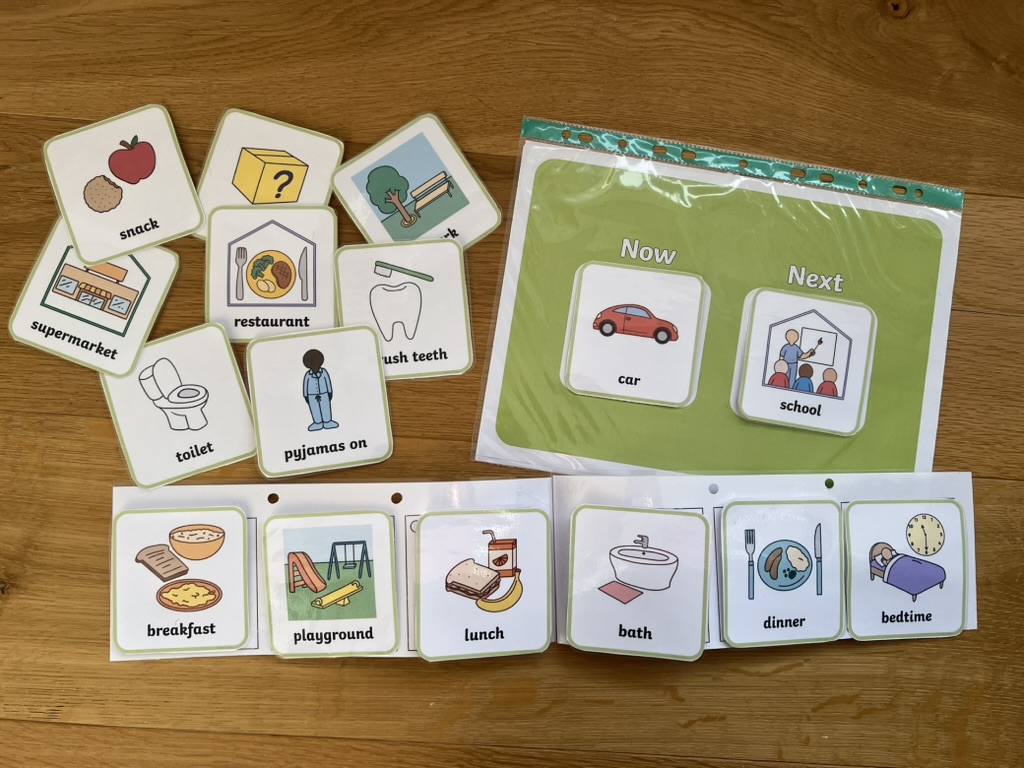
What are Visual Schedules?
A visual schedule uses pictures, symbols, objects and/or words to give a child information about what is happening, the sequence of events, what changes are upcoming, and when it is time to move on to another activity. Visual schedules can be as simple as two steps such as a ‘Now / Next’ board or consist of multiple steps.
Why Use Visual Schedules?
Visual schedules can be used to support children to understand and participate in the structure of their day as well as provide step-by-step instructions about how to complete an activity of daily living such as brushing teeth or hand washing. Children who may benefit from visual schedules include:
- Children who struggle to understand or process verbal information.
- Children who struggle to attend to cues in their environment.
- Children who struggle to listen to and remember information they have heard.
- Children who become anxious when outside of their routine or who struggle with transitions.
- Children who struggle understanding the passage of time and/or struggle with the concept of past, present and future.
How to Use Visual Schedules
- Place the schedule where your child can easily access it.
- Prior to starting the first activity, review the schedule with your child.
- Refer to the schedule throughout the activity to help your child become familiar with using a visual schedule.
- Depending on the schedule, the relevant pictures can be removed once that activity is completed to help your child better understand movement through the schedule.
- Consistency is key. The more your use visual schedules with your child, the better they will understand and be able to follow visual schedules.

If you would like more information about supporting children’s language development, please get in touch. Follow us on Facebook for more speech, language, and feeding tips, and sign up for South Lakes Speech & Language Therapy’s newsletter if you would like new posts sent directly to your inbox.